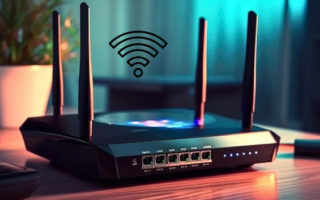
Many home internet users suffer from slow network speeds, which hinders watching high-quality videos or playing online games smoothly. Recent reports suggest the cause might be simpler than some think, and it lies in the old Ethernet cable connecting the modem and router. Experts explain that Cat5 cables, common in many homes, are designed to work at speeds of up to 100 megabits per second only. Meanwhile, most modern home internet plans offer speeds ranging from 200 megabits to 1 gigabit or more, meaning that Cat5 cables can lead to a significant drop in speed and make the internet experience unstable with intermittent slowdowns, especially when multiple devices are running at home or watching high-definition videos like 8K. Experts say checking the cable type is very easy; you can inspect its outer sheath for the printed 'Cat' classification. If the cable is old, upgrading to Cat5E cables can greatly improve speed, as they support speeds of up to 1 gigabit per second. A Cat6 cable offers even better performance, capable of transferring data at speeds of up to 10 gigabits per second over short distances and 1 gigabit over distances exceeding 100 meters. However, experts warn against blaming the cable alone for slow internet, stressing that the router's performance also plays a crucial role in network speed and stability. Signs that indicate the need to replace the router include weak coverage, frequent signal drops, and slow speeds despite paying for high-speed plans. For users with the latest routers who still face slow internet, reports suggest trying several solutions, such as moving the router to a central, obstacle-free location, using the 5-gigahertz band, or installing a Mesh Wi-Fi system to reduce signal congestion and improve coverage throughout the home. Some simple settings, like replacing the router's antenna or updating its firmware, can also make a noticeable difference in speed and connection stability. Experts confirm that these solutions are not costly but provide a significant improvement in home internet experience, making them a small investment with a major impact on the quality of working from home, remote education, and enjoying online entertainment content.